Up to 1,999 incomplete tasks
Four API pages are enough to load the first 1,999 incomplete tasks assigned to the current Attio member and detect whether more exist. The dialog displays the exact loaded count when the result is truncated.
Product documentation · September 2026
Turn up to the first 1,999 incomplete tasks assigned to the current member into a focused queue by region and type. Work dated tasks first, complete one task at a time and keep the workflow inside Attio.
Four API pages are enough to load the first 1,999 incomplete tasks assigned to the current Attio member and detect whether more exist. The dialog displays the exact loaded count when the result is truncated.
The supported entry point is the stable object action available from Show menu on either object.
No external account and no separate Buildrhaus data processing backend are required.
The queue uses one deliberate path. Each completion returns you to the same focused workflow so you can continue through the displayed tasks.
Start from either object list supported by the app.
Open the object action menu in the current Attio view.
The Attio hosted dialog loads your incomplete assigned tasks.
Move into AUS, Europe, US or Other.
Focus on the label found at the start of each task title.
Dated work appears first. Tasks without a deadline follow.
The app revalidates the selected task before changing its completion state.
After the queue refreshes, continue in the same focused flow.
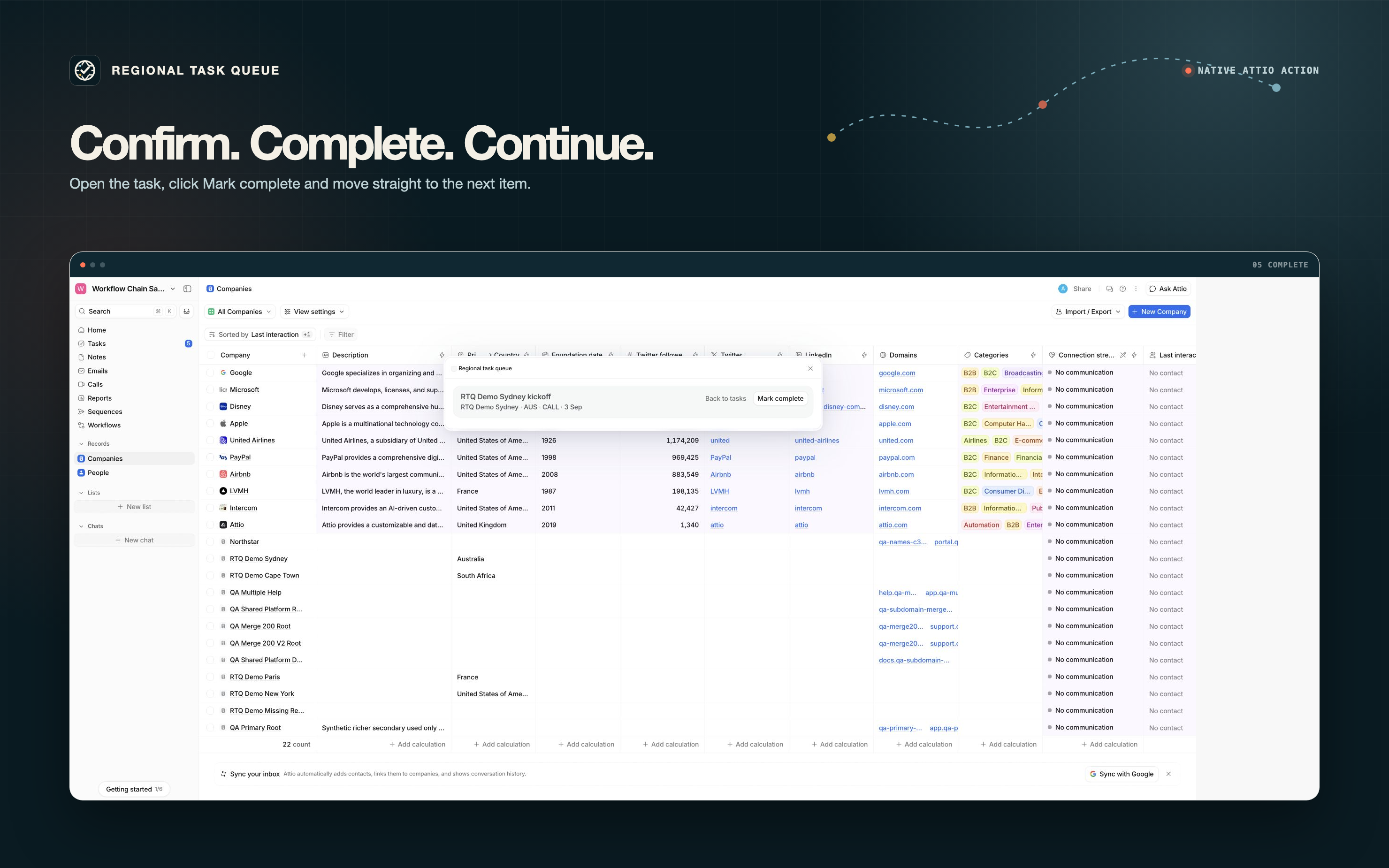
These five product images use real states from the installed Attio integration. The video starts with the real installation and permission approval, then shows queue navigation, completion and refresh.
A product recording will appear here when assets/demo.mp4 is added. Until then, the real workflow remains visible in the five product images below.
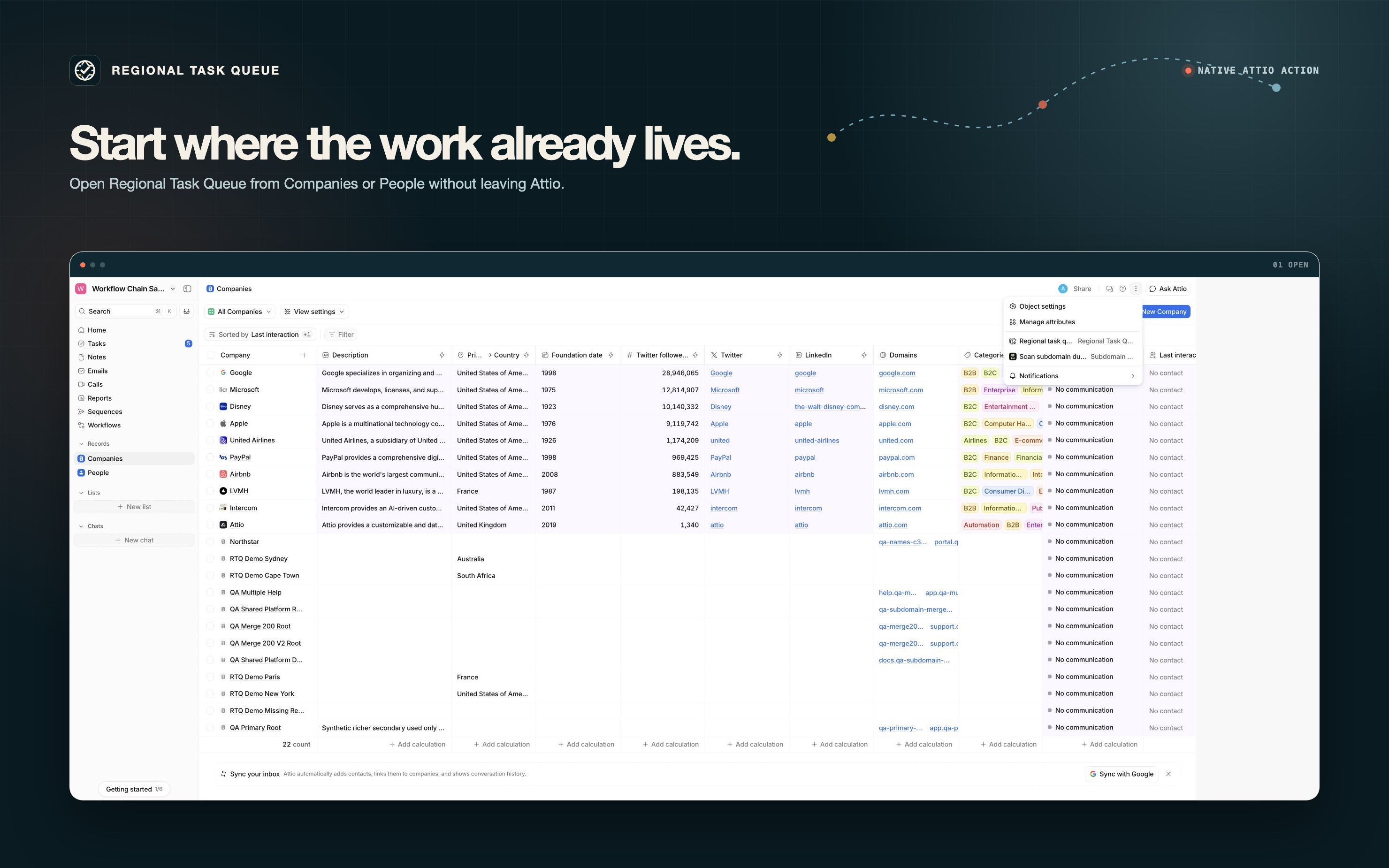
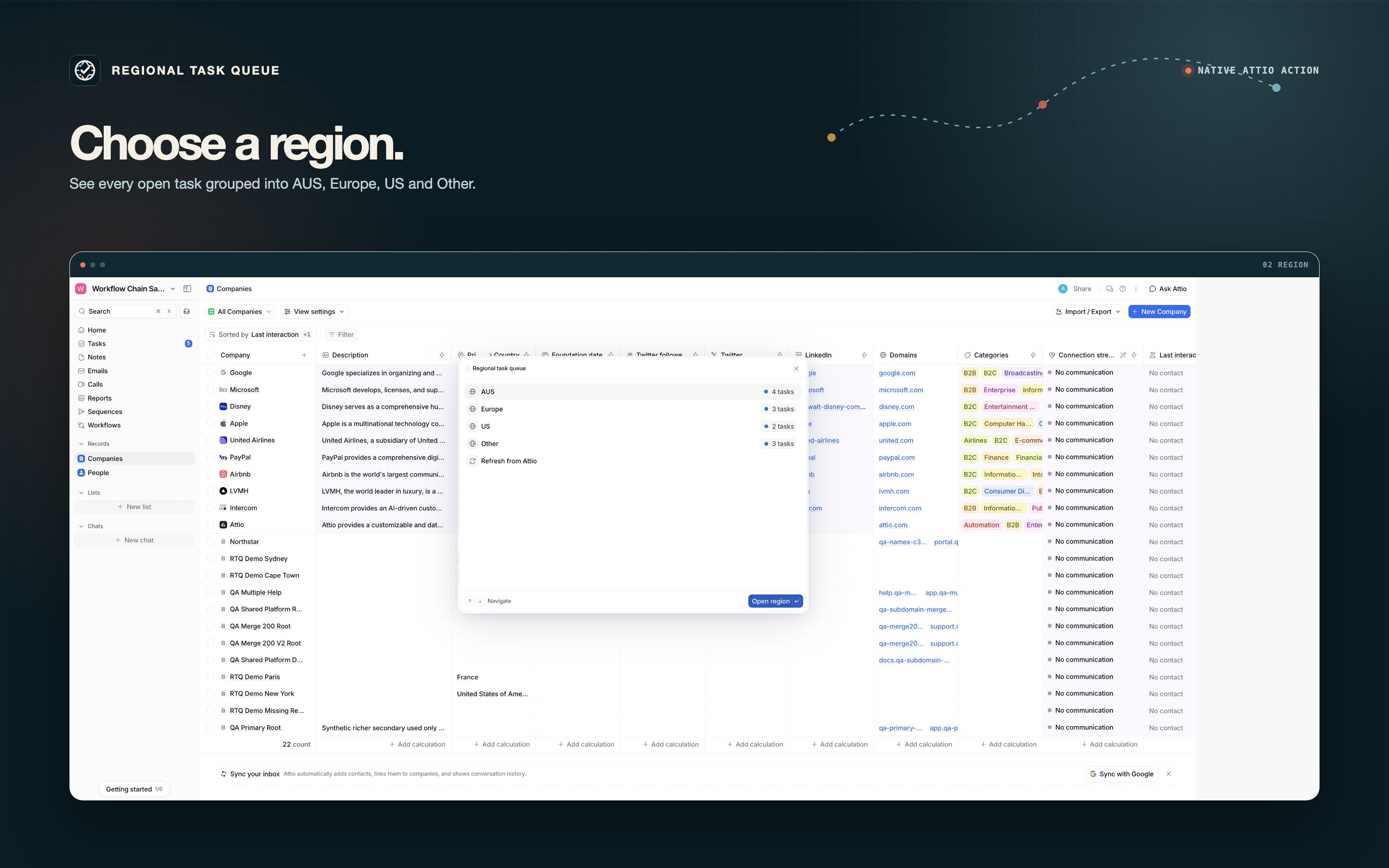
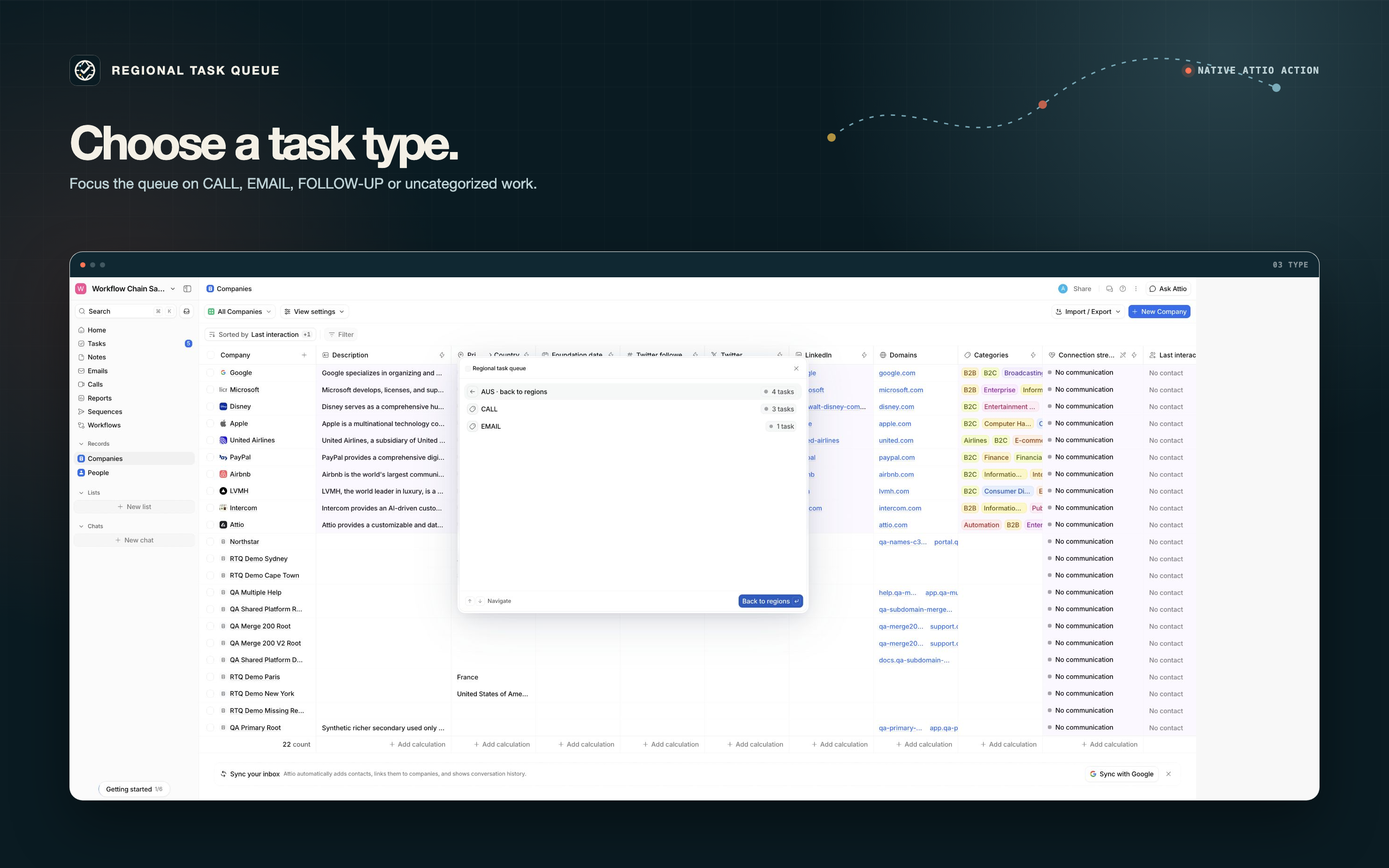
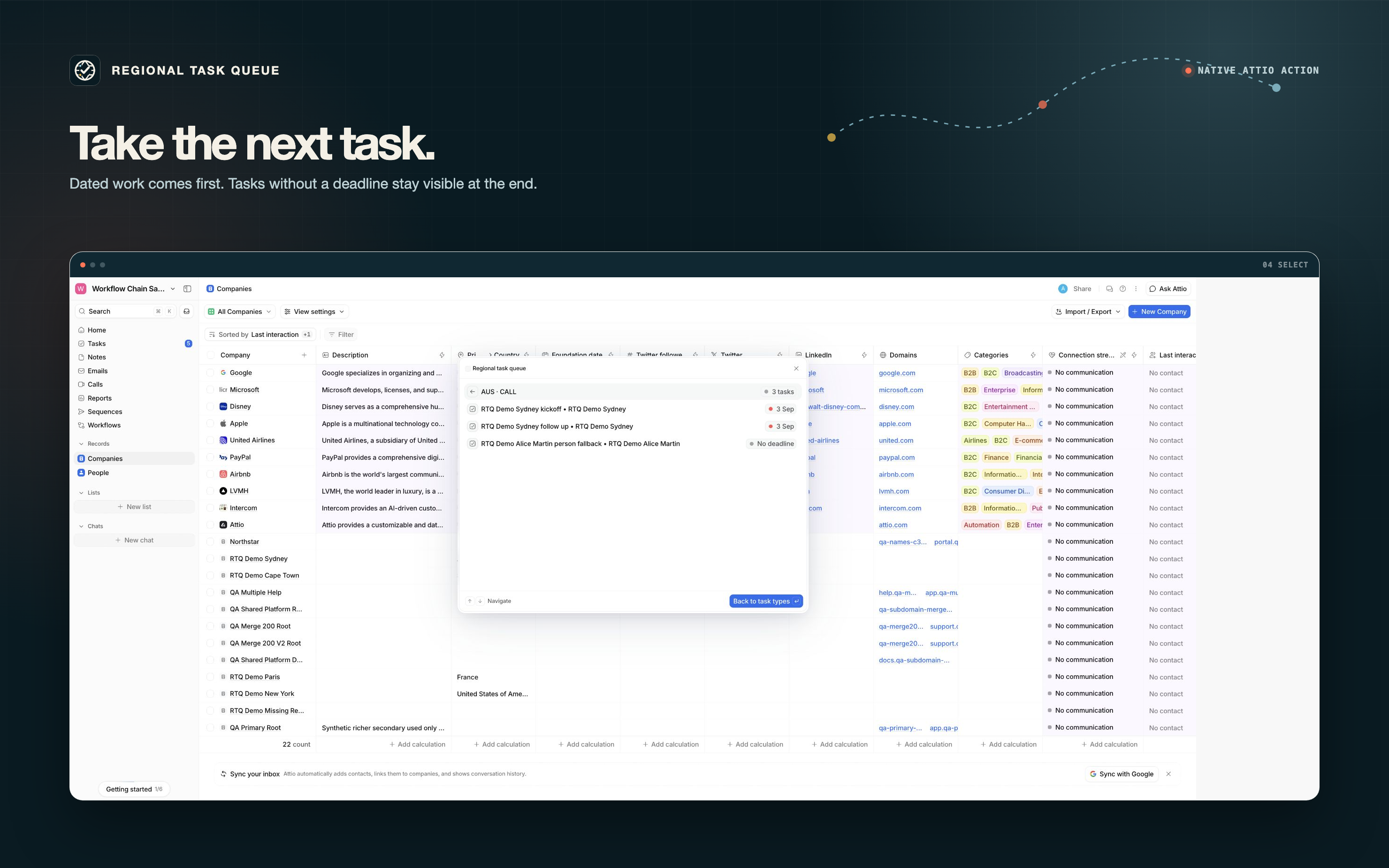
After an Attio admin installs Regional Task Queue and approves its four permissions, members can open Companies or People, click Show menu and choose Regional task queue.
No external account, API key, service connection or workspace setting is required.
The app loads up to the first 1,999 incomplete tasks assigned to the current member. The final result of the fourth API page detects whether more tasks exist. When the result is truncated, the dialog states exactly how many were loaded. It derives the region from the primary location of a linked person or company. When a linked person has no location, the app can use the primary location of that person's linked company.
Regions appear as AUS, Europe, US and Other. A leading square bracket label in a task title becomes its type. For example, [CALL], [EMAIL] and [FOLLOW‑UP] create separate groups. A task without a leading label remains available under UNCATEGORIZED.
Within each type, dated tasks appear in deadline order. Tasks without a deadline appear last.
Selecting a task opens its detail view. Mark complete is the only completion control. Before any write, the app verifies that the selected task is still incomplete and still assigned to the active member.
The app marks only that selected task complete, refreshes the queue and keeps the member in the same focused workflow. It does not create, delete or edit people or company records. It performs no scheduled processing and makes no background writes.
| Permission | Access | Purpose |
|---|---|---|
| User Management | Read | Identify the active workspace member so the queue uses that member's assignments. |
| Records | Read | Read names and primary locations from linked people and companies. |
| Object Configuration | Read | Resolve linked object identifiers to the supported people or companies object. |
| Tasks | Read and write | List incomplete assigned tasks, revalidate the selected task and mark only that task complete. |
Regional Task Queue runs on Attio hosted App SDK infrastructure and calls only the public Attio REST API for application data. The granted app token is supplied inside that hosted environment.
Buildrhaus operates no separate data processing backend for this app. Task and linked record data are not sent to an external Buildrhaus service. No external account or service connection is part of the workflow.
For setup help, unexpected queue behavior or privacy questions, email support@buildrhaus.com. Include the visible result and the step where the issue occurred. Never include API keys or other credentials.
The app specific policies explain permitted use and the exact Attio data processed by Regional Task Queue.
We design and implement the complete revenue system around Attio, from object structure to workflows, integrations and handover.