01 / Receive
Add Workflow invoked
Place the trigger on the target workflow and give it a channel such as enrich-company.
Version 1.0 · Submitted for Attio review · September 2026
Trigger an Attio workflow from another Attio workflow. Pass a record, payload and source run context without checkbox handoffs or external automation tools.
What it adds: one trigger block and one action block that let workflows call reusable subflows natively inside Attio.
What it replaces: checkbox handoffs, polling automations and external tools used only to bridge two Attio workflows.
What leaves Attio: nothing. The app uses Attio hosted App SDK capabilities and requires no API key, OAuth connection or external service account.
Workflow Chain adds two native blocks to Attio. A channel connects them. Everything else stays inside the workflow editor you already use.
Place the trigger on the target workflow and give it a channel such as enrich-company.
Place the step on the source workflow. Use the same channel and optionally attach a record or payload.
The target receives the payload, record reference and source run metadata as native workflow outputs.
Every screenshot below comes from the working Attio sandbox used to validate the integration.
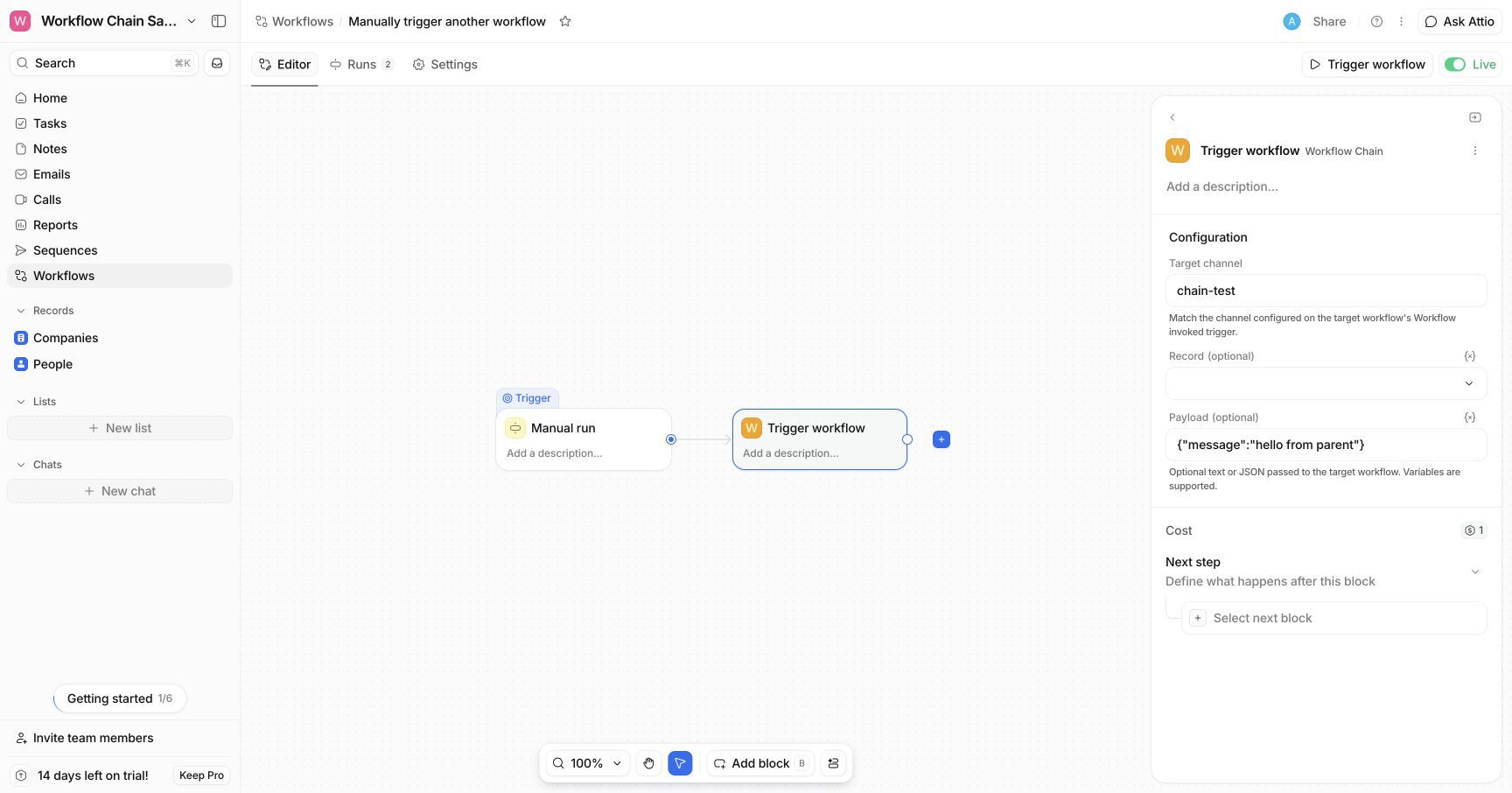
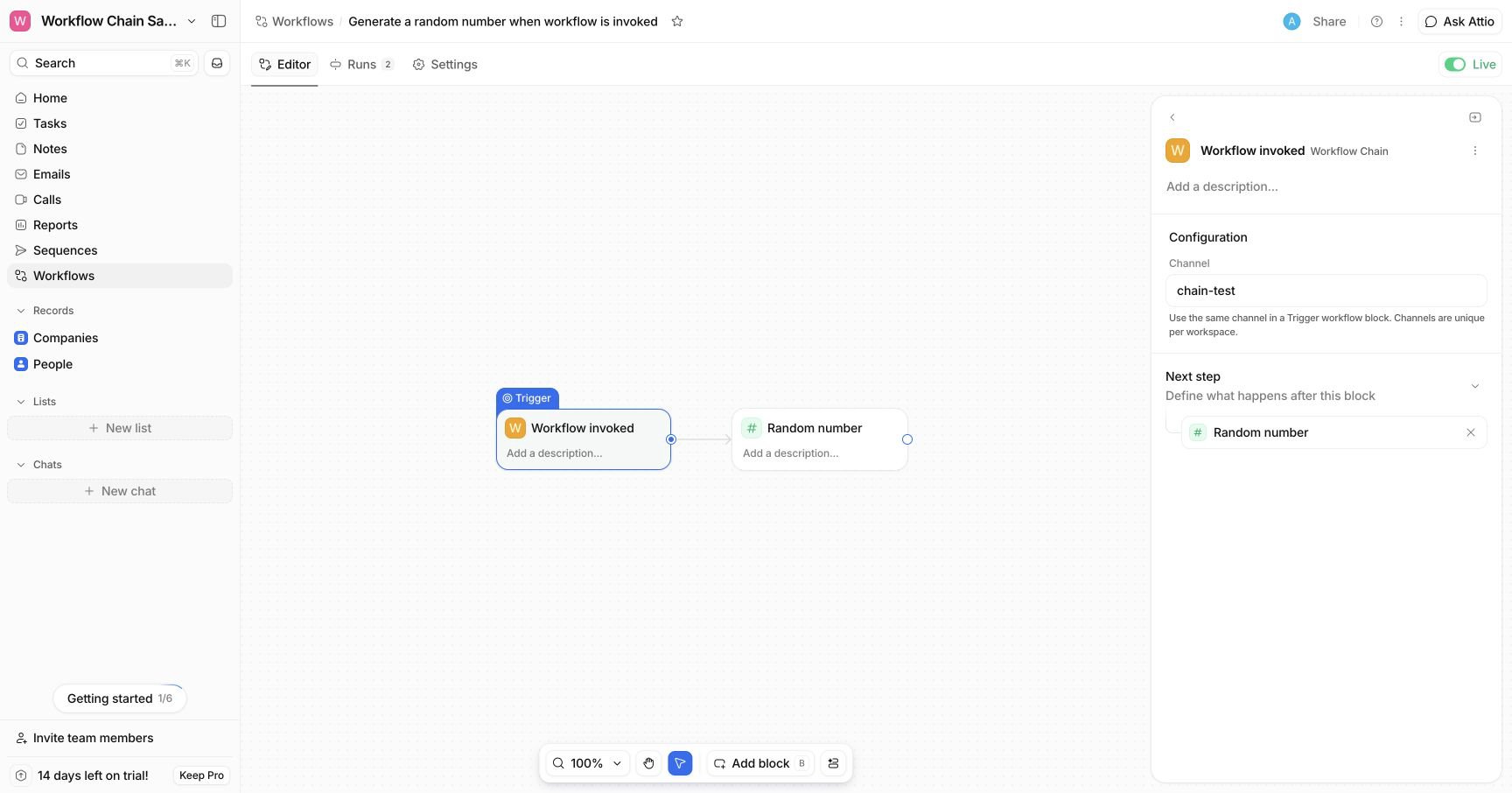
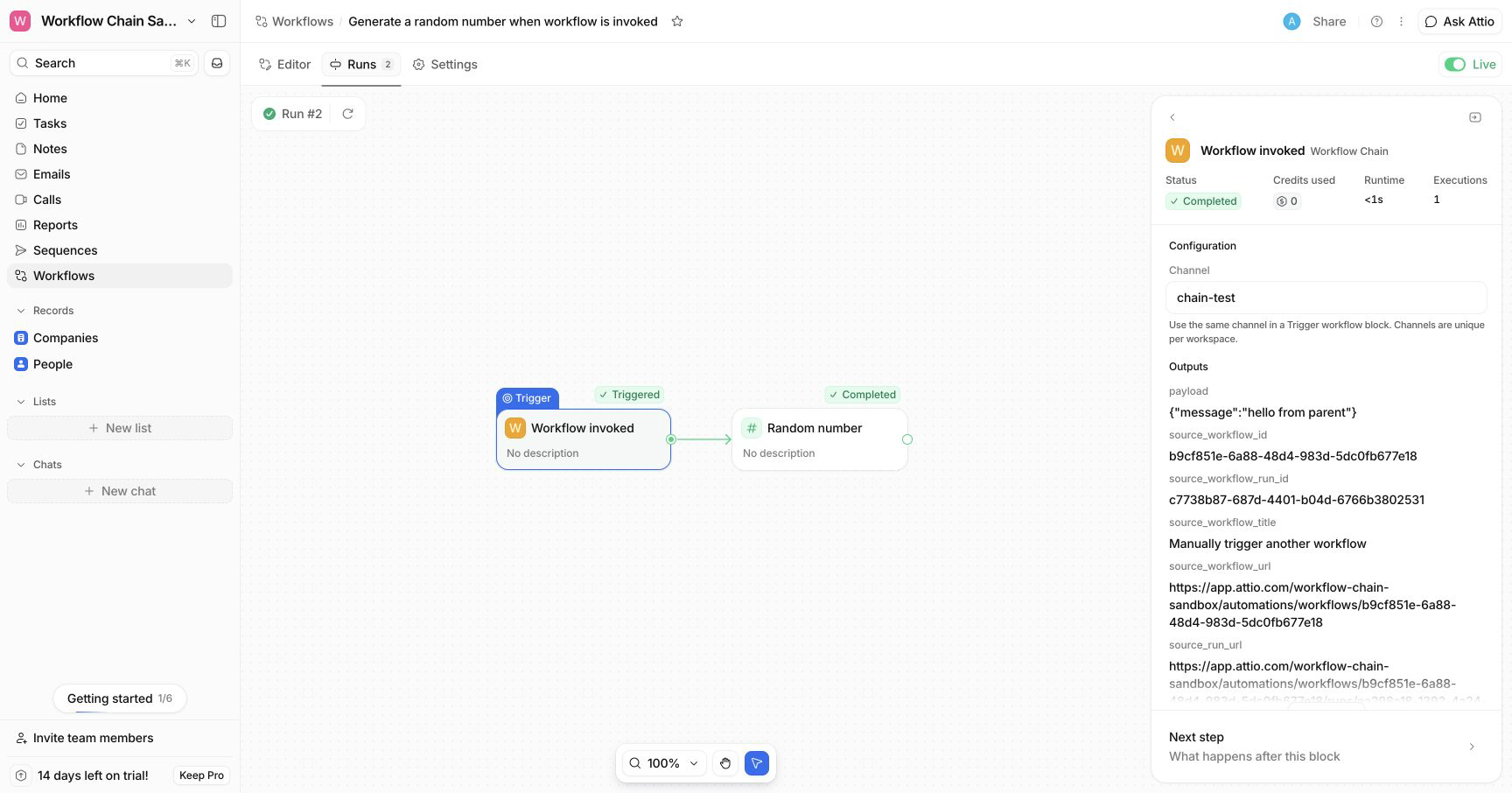
Once Workflow Chain is available through the Attio App Store, a workspace admin can install it from Workspace settings, then Apps. After installation, the two blocks appear in the Workflow Chain section of the workflow block picker.
Workflow invoked as its trigger.Trigger workflow wherever the handoff should occur.Channel names are trimmed and normalized to lower case. One active target can own a channel inside a workspace.
| Output | Description |
|---|---|
| payload | The optional text or JSON value sent by the source. |
| record_id | The Attio record identifier when a record is provided. |
| object_slug | The standard Attio object associated with the record. |
| source_workflow_id | The identifier of the calling workflow. |
| source_workflow_run_id | The identifier of the calling run. |
| source_workflow_title | The current title of the calling workflow. |
| source_workflow_url | A direct link to the calling workflow. |
| source_run_url | A direct link to the calling run. |
For installation help, unexpected workflow behavior or security questions, email support@buildrhaus.com. Include the source run URL and target channel. Never include Attio API keys or other credentials.
Workflow Chain is provided by Buildrhaus for use with Attio. The app does not operate external infrastructure and does not send workspace data to Buildrhaus or third party services. Configuration and routing data are stored using Attio hosted App SDK storage. Workflow payloads are passed through Attio provided workflow callback URLs.
Users are responsible for configuring channels, payloads and downstream actions appropriately. Availability may change as Attio evolves its App SDK. The service is provided without a separate uptime commitment. Buildrhaus may update the app to maintain compatibility, security and reliability.
General website terms and privacy information are available in the legal notice and privacy policy.
We design and implement the complete revenue system around Attio, from data model to workflows, integrations and handover.